
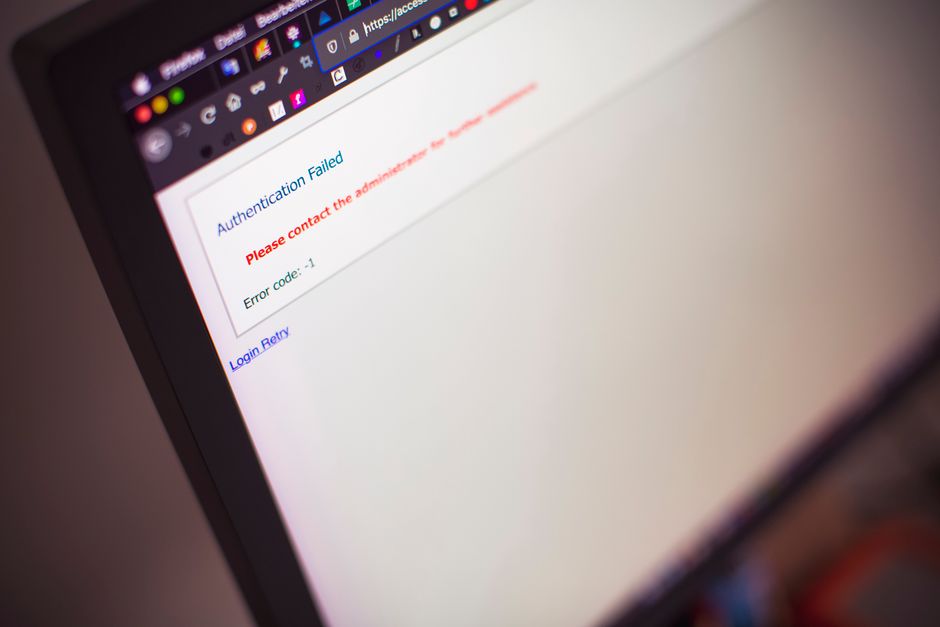
Why WordPress Login Security Matters
When a cybercriminal gains access to a WordPress admin account, the damage can spread quickly across the entire website. Small businesses often assume that a simple password and an outdated theme are enough, but attackers use automated tools to guess credentials in seconds. A compromised login not only exposes customer data but can also lead to defaced pages, malicious redirects, and lost revenue.
Implementing Strong Authentication
Strong authentication starts with more than just a password. Enforce password policies that require a mix of uppercase, lowercase, numbers, and special characters. Require a minimum length of 12 characters and discourage common words or personal information. For example, a hypothetical bakery owner might think “ Bakery2024!” is unique, but it still contains the business name and a predictable year.
Password Policies
Configure the WordPress core to reject weak passwords automatically. Use a plugin that scans new passwords against known compromised lists. Encourage regular password changes, perhaps every 90 days, and store old passwords securely to prevent reuse. Remember, a strong password is the first line of defense; never share it via email or messaging apps.
Two-Factor Authentication
Enable two-factor authentication (2FA) for all admin accounts. Plugins like Google Authenticator or Authy generate time‑based codes that users must enter after their password. Even if a password is leaked, the attacker still needs the second factor. For a small e‑commerce store, 2FA reduces the risk of a single compromised login leading to a full site takeover.
Blocking Automated Attacks
Automated bots attempt thousands of login combinations each hour. Relying on human‑driven defenses is insufficient. Implement measures that make brute‑force attempts impractical without affecting legitimate users.
Limit Login Attempts
Use a plugin that caps the number of failed login attempts per IP address or username. After reaching the limit, temporarily lock the account or require a captcha. This simple step can reduce successful guesses by more than 90 percent in most scenarios.
Disabling XML‑RPC
XML‑RPC is a legacy feature that many sites never need. It can be abused to attempt logins remotely. If the business does not use mobile apps or external services that require XML‑RPC, disable it via a simple code edit or plugin. This removes a common attack vector without impacting day‑to‑day operations.
Hardening the Login Environment
Security is not just about passwords; it is also about the surrounding infrastructure. A well‑configured environment makes attacks far more difficult.
SSL/TLS Enforcement
Ensure every page, including the login page, uses HTTPS. Install a valid SSL certificate and enforce redirects from HTTP to HTTPS. An encrypted connection prevents attackers from intercepting credentials on public Wi‑Fi networks.
Secure Admin URL
Change the default “/wp‑admin” path to something less predictable, such as “/private‑area”. Update all internal links and bookmarks accordingly. Combine this with a strong password and 2FA, and you add a layer of obscurity that deters casual attackers.
Monitoring and Auditing Login Activity
Detection is as important as prevention. Continuous monitoring helps identify suspicious behavior before it escalates.
Using Security Plugins
Install a reputable security plugin that logs login attempts, tracks user roles, and alerts you to unusual activity. Look for features like real‑time notifications, IP blocking, and alerts for new admin user creation. A security plugin acts as a watchdog, allowing you to respond quickly to potential threats.
Log Review and Alerts
Regularly review authentication logs for repeated failures from the same IP address or unusual login times. Set up simple email alerts for specific events, such as login failures after business hours or login from foreign countries. Even a manual check once a week can uncover patterns that automated tools might miss.
Maintaining Ongoing Security
Security is not a one‑time setup; it requires continuous effort. A routine maintenance schedule prevents many common vulnerabilities.
Regular Updates
Keep WordPress core, themes, and plugins up to date. Each update often includes patches for known security flaws. For a small business website, a missed update can become the entry point for an attacker who exploits an old vulnerability.
Backup and Recovery Plans
Even with the best defenses, incidents can still happen. Maintain daily backups and store them in a separate location. Test restoration procedures periodically to ensure you can quickly return the site to a stable state after a breach.
Additional Safeguards
Beyond the basics, a few extra measures can further strengthen login security.
reCAPTCHA and Bot Detection
Add Google reCAPTCHA to the login form to distinguish humans from bots. This simple integration reduces automated login attempts without adding extra complexity for users. Some plugins also offer custom bot detection rules tailored to WordPress behavior.
Custom Login Page Branding
Consider replacing the default login screen with a branded version. A custom login page can include your logo, company colors, and brief security reminders. This not only reinforces trust but also makes it easier to spot phishing attempts, as users will recognize the legitimate interface.
Common Mistakes to Avoid
Many small businesses fall into traps that nullify even the strongest security configurations.
Overreliance on Plugins
Plugins are powerful, but they are also a potential source of vulnerabilities if not maintained. Avoid installing unnecessary plugins solely for login security. Each additional plugin introduces its own code that could be exploited.
Neglecting User Education
Technical controls are only effective if users understand them. Train staff on the importance of strong passwords, the role of two‑factor authentication, and how to recognize phishing emails that target login credentials. A well‑informed team is a critical line of defense.
Keeping Your WordPress Site Secure from Login Threats
WordPress login security is a layered challenge that demands proactive planning and consistent maintenance. By enforcing strong passwords, enabling two‑factor authentication, limiting brute‑force attempts, securing the login environment, and monitoring activity, small business owners can dramatically reduce the risk of unauthorized access. Pair these technical measures with regular updates, backups, and user education, and the login process becomes a robust barrier against attackers. Prioritize these best practices today, and your WordPress site will remain a safe hub for customers and operations alike.