
Assess Your Current Site
Begin by pulling reports from Google Analytics or your preferred analytics platform to see which pages receive the most traffic and which ones see little engagement. Look at average session duration, bounce rate, and conversion funnels to identify where users drop off. In addition, run a quick usability test by navigating the site yourself or asking a colleague to complete common tasks such as filling out a contact form or viewing a product page. Note any broken links, error messages, or slow‑loading elements that interrupt the flow. Record the current structure of menus, footers, and any third‑party widgets that may need updating. This comprehensive audit creates a factual baseline that will guide every later decision and help you spot opportunities for improvement without assuming what must change.
Define Clear Goals and KPIs
Start by listing the primary business outcomes you want the redesign to achieve. Typical objectives include generating more qualified leads, increasing online sales, boosting appointment bookings, or strengthening brand perception among new audiences. For each objective, choose a measurable key performance indicator. Examples are form submission conversion rate, average order value, appointment booking conversion percentage, or net promoter score. Write these goals down in a simple table so you can reference them throughout the project. Clear metrics provide a north‑star for design choices, content prioritization, and post‑launch evaluation, ensuring the redesign delivers tangible business value rather than just a fresh look.
Understand Your Target Audience
Develop at least two detailed buyer personas that represent your core customer segments. For each persona, note demographics such as age, location, and industry, as well as professional goals, challenges, and the motivations that drive their purchasing decisions. Map the typical customer journey from first awareness—perhaps through a search engine or social media—to the final conversion step. Identify pain points where the current site may cause confusion, mistrust, or friction. Use this insight to shape navigation labels, content tone, and visual hierarchy so the redesign speaks directly to the needs and preferences of the people you aim to serve.
Consider conducting a brief survey or interviewing a handful of existing customers to validate your assumptions. Real‑world insights help you avoid designing features that look appealing on paper but hold little relevance for your audience. Aligning the redesign with genuine user needs reduces the risk of costly revisions later and improves overall satisfaction.
Set a Realistic Timeline and Budget
Divide the redesign effort into distinct phases: discovery, information architecture, visual design, front‑end development, back‑end integration, content migration, testing, and launch. Assign an estimated duration to each phase, keeping in mind the availability of your team or any external contractors. Include a contingency buffer of roughly 10‑15 percent of the total timeline to accommodate unforeseen revisions or stakeholder feedback. For budgeting, itemize costs for design services, any required plugins or theme purchases, developer hours, and testing tools. Present this plan to any investors or partners so that expectations are transparent and funding is secured before work begins.
Choose the Right Platform for the Redesign
If your current website runs on WordPress, evaluate whether a redesign within the same environment makes sense or if migrating to Shopify would better support e‑commerce requirements. Compare the ease of updating content, the flexibility of design customizations, and the compatibility of essential plugins or apps with your target features. Consider the technical skill set of your team: a WordPress redesign may allow more granular control, while a Shopify migration could streamline product management and payment processing. A well‑matched platform reduces technical risk, shortens development time, and lets you focus on design polish and user experience rather than major rebuilds.
Plan Content Migration Carefully
Perform a systematic audit of every page, blog post, product listing, and media file on the existing site. Flag content that can be reused unchanged, items that need refreshed copy or updated imagery, and material that should be retired entirely. Preserve SEO‑critical elements such as title tags, meta descriptions, header hierarchy, and URL structures where possible, and set up 301 redirects for any pages that will change address. Create a content calendar that outlines when each piece will be rewritten, approved, and uploaded, ensuring a smooth transition that maintains search engine authority and visitor trust.
Design with Brand Consistency and Simplicity
A fresh visual identity should reflect your brand colors, typography, and logo usage while avoiding overly decorative trends that distract from core messages. Choose a clean layout that adapts gracefully to desktop, tablet, and mobile screens, ensuring readability and easy navigation. Conduct quick internal reviews with team members to confirm that the design feels professional and aligns with the values you want to convey. Test color contrast for accessibility and verify that interactive elements are large enough for touch interactions on mobile devices.
Map User Flow and Information Architecture
Sketch a sitemap that organizes pages into logical groups, ensuring main navigation includes the most important sections and that sub‑menus are limited to prevent overload. Test the flow by walking through typical tasks such as finding a product, reading a service description, or contacting sales to confirm that steps are intuitive and reduce the number of clicks required. Use card‑sorting exercises or simple tree diagrams to validate that the hierarchy matches how users naturally think about your offerings.
Prototype and Conduct Usability Testing
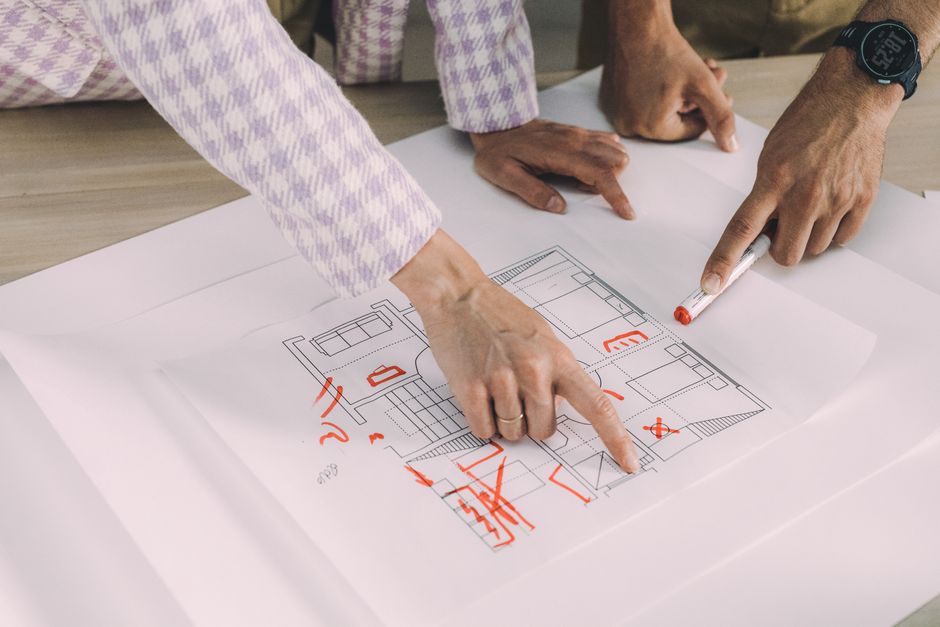
Create low fidelity wireframes for key pages before moving to high fidelity mockups. Share these prototypes with a small group of real users, such as current customers or industry peers, and observe how they navigate and where they encounter difficulty. Capture feedback on labeling, placement of calls to action, and overall clarity, then iterate on the designs before any code is written. Early testing saves time and money by catching usability issues before development begins.
Develop with Best Practices
When the design receives final approval, hand it off to developers who follow coding standards, use semantic HTML, and incorporate accessibility guidelines such as proper label attributes for forms and sufficient color contrast. Ensure interactive elements are keyboard operable and that responsive breakpoints adapt the layout to various screen sizes. These practices improve usability for all visitors and support long‑term maintenance, making future updates easier and reducing the likelihood of technical debt.
Integrate Content and SEO Foundations
Write compelling copy that addresses user intent and naturally incorporates relevant keywords without stuffing. Optimize heading hierarchy, image alt attributes, and internal linking to guide both visitors and search engines. While the focus is on redesign planning, maintaining a solid SEO foundation helps preserve organic traffic and supports the new site’s performance, ensuring that the redesign contributes to sustained growth rather than a temporary traffic dip.
Launch with a Controlled Rollout
Before going live, move the new site to a staging environment and perform final checks on functionality, mobile responsiveness, and link integrity. Use a temporary URL or password protection to prevent search engines from indexing incomplete pages. Once confident, schedule the launch during a low traffic period and monitor site health closely for the first few days, watching for broken links, unexpected errors, or performance spikes that may require immediate attention.
Monitor Performance and Gather Feedback
After launch, track key metrics such as conversion rates, bounce rate, average session duration, and user engagement using analytics tools. Set up goals within the platform to measure the specific KPIs you defined earlier. Collect qualitative feedback through short surveys, direct communication with customers, or by reviewing support tickets to understand how the redesign impacts user satisfaction. Compare post‑redesign data against your original targets to determine whether the project met its objectives.
Iterate and Improve Continuously
A website redesign is not a one‑time event. Use the data and feedback collected to make incremental improvements. Update content regularly, refine navigation based on user behavior analytics, and test new design elements in small sections before full implementation. Continuous iteration keeps the site relevant, maximizes return on investment, and demonstrates to visitors that you are committed to delivering a high performing online experience.
Conclusion
Approaching a website redesign with a structured plan reduces risk, aligns the new site with business objectives, and delivers a better experience for customers. By assessing the current site, defining clear goals, understanding the audience, and following each planning step methodically, small business owners can achieve a modern, high performing online presence that drives growth.