
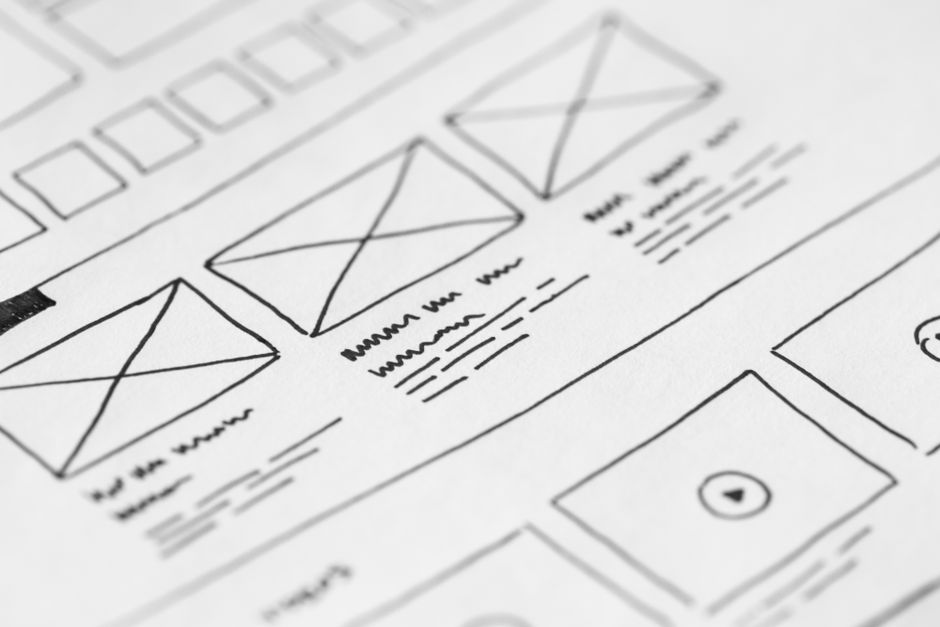
Many small business owners reach a point where the current website feels like a burden. Maybe the brand has outgrown the logo. Maybe the menu no longer matches the services. Maybe the Shopify checkout confuses mobile shoppers. A redesign can solve these problems, but only if it starts with a plan. Too many businesses treat a redesign like a paint job. They pick a new theme, paste in old text, and hope for more sales. The result is usually a prettier site with the same leaks.
I have seen WordPress service sites lose leads because the redesign buried the contact form. I have seen Shopify stores launch a beautiful theme only to find that customers could not find the size guide. The goal of a redesign is not to look modern. It is to remove friction and make the site do what the business needs today.
Start With a Reason Not a Trend
A redesign should solve a specific problem. If you cannot name the problem, you are not ready to redesign. Common triggers include a brand that no longer matches the company, a platform that makes simple updates expensive, or a structure that hides best selling products. A hypothetical example is a local landscaping business running WordPress. The owners want to add online booking, but their current theme does not support it. That is a valid reason. A less valid reason is that a competitor just launched a new site.
Trends change fast. Rounded corners and dark mode might look good for six months, but they do not fix a broken inquiry form or a missing shipping policy. Before hiring a developer or buying a premium theme, write down one or two measurable goals. Examples are increasing consultation requests by twenty percent or reducing support emails about delivery times. These goals will guide every decision in the redesign.
Audit What Already Works Before You Cut It
It is tempting to throw away everything and start fresh. That is usually a mistake. Your current site already has data about what customers want. The pages with the most traffic, the forms with the most submissions, and the products with the highest conversion rate are assets. Removing them without a plan is like closing your best performing storefront because the paint is faded.
Map Your High Value Pages
List the top five pages by traffic and the top five by conversions. They are often not the same. A blog post might bring visitors, while the services page closes the sale. During a redesign, protect those pages. If you must change a URL, set up a redirect so old links and bookmarks still work. Changing URLs without redirects throws away search visibility and confuses returning customers.
Look at where visitors drop off. If the checkout page has high exit rates, the issue might be form length or missing payment options, not the color scheme. Fix the underlying behavior before you change the visuals.
Decide What the New Site Must Do
A website should serve the business, not the other way around. For a service business, the site might need to book appointments, display case studies, and collect email addresses. For an ecommerce store, it might need to show product variants, calculate shipping, and handle returns. Write these requirements down before choosing a theme or a platform.
If you use WordPress, ask whether your current setup makes content updates easy. If every small edit requires a developer, the platform or theme may be the problem. If you use Shopify, ask whether your theme supports the product structure you need. A store with hundreds of variants might outgrow a basic theme. A store with a simple catalog might not need custom development at all.
Platform choice is a tradeoff. WordPress gives you control over content and structure, but it requires maintenance. Shopify handles hosting and security, but it limits deep customization unless you pay for custom theme work. Neither is universally better. The right choice depends on what your redesigned site must do six months from now.
Content Comes Before Design
Design without content is decoration. Too many small businesses choose a beautiful theme and then struggle to fit their old text into it. The text gets shortened, images get cropped, and the message gets lost. Start with the copy. Rewrite your services page, about page, and FAQ page for the audience you have now, not the audience you had three years ago.
Remove outdated services. If you no longer offer evening consultations, do not list them just to fill space. If you have added new product lines, give them room to breathe. Clear content makes design decisions easier. You will know whether you need a grid layout, a video section, or a simple contact block once the words are in place.
Write for the Customer Not the Business
Business owners often write from their own perspective. They say we offer comprehensive bookkeeping solutions. Customers want to know will you file my taxes on time. During a rewrite, speak in the customer’s language. Use headings that answer questions. Break long paragraphs into short ones. This improves readability and makes the redesign feel purposeful rather than cosmetic.
Plan for Forms Checkout and CTA Placement
Forms and checkout flows are where most small business websites lose money. A redesign is the right time to simplify them. Ask only for information you actually need. A service inquiry form does not need a fax number. A checkout page does not need to ask for a customer’s birthday unless you sell age restricted products.
Call to action placement matters as much as the wording. Put the primary action near the top of the page, and repeat it after the main benefits. If a visitor has to scroll through three screens to find the book now button, many will leave. On product pages, place the add to cart button close to the price and the shipping estimate. Do not hide it behind dropdowns or extra tabs.
If you are redesigning a Shopify store, test the checkout on a phone. Buttons that are easy to click on a desktop can be impossible to tap on a small screen. If you are redesigning a WordPress site, test the contact form after every theme change. A plugin update can break email delivery without any visible error.
Choose a Platform Path That Fits the Redesign
A redesign is a natural moment to reconsider your platform, but switching platforms is not required. Staying on WordPress lets you keep your blog structure and content organization. Moving to Shopify can simplify inventory and payment handling for a growing store. Both paths have costs.
Custom development offers flexibility but takes longer and costs more upfront. A well chosen theme launches faster but may include features you do not need. The key is matching the build to the business goal. A local law firm probably needs content flexibility more than a custom checkout. A fashion brand with seasonal drops probably needs a flexible product catalog more than a complex blog.
Be honest about who will update the site after launch. If the owner will write weekly blog posts, WordPress may be easier. If the team wants to change product prices and banners without touching code, Shopify may reduce friction. The platform should serve the team, not force the team to serve the platform.
Build a Launch Checklist That Protects Leads
A redesigned site should not go live without a checklist. Back up the current site first. Test every form, button, and link on the new site. Check that images load and that the mobile menu opens. If you changed URLs, verify that redirects work. Ask a few existing customers to navigate the site and report anything confusing.
Avoid launching on a Friday afternoon. If something breaks, you want your team available to fix it. A Tuesday or Wednesday morning launch gives you time to monitor traffic and respond to issues. After launch, watch form submissions and sales closely for the first two weeks. A sudden drop usually means a form is broken or a page is missing.
Measure After the Redesign Not Just Before
The redesign is not finished when the site goes live. It is finished when the business sees results. Track the goals you set at the start. Are consultation requests increasing? Are abandoned carts decreasing? Are customers finding the new shipping page without emailing support? Give the new site thirty to sixty days before judging success. Visitors need time to adjust, and search engines need time to reindex pages.
If results do not improve, look at the data before changing the design again. Maybe the new look is fine but the offer is unclear. Maybe the menu is simpler but the pricing page is harder to find. Small adjustments based on real behavior beat a second full redesign based on assumptions.
A website redesign is a business decision disguised as a design project. Keep the pages that bring in leads. Cut the sections that confuse visitors. Write content for the customer you serve now. Choose a platform that fits your team, not just your aesthetic. With a plan in place, a new site can become a tool that works harder than the old one ever did.