
Why Transparent Timelines Matter for Service Websites
Service businesses sell expertise, not a physical product that a visitor can touch. The buyer’s confidence hinges on how clearly the site explains what will happen after they click “Contact”. When a timeline is vague or hidden, prospects assume delays, hidden costs, or a lack of process. A visible, step‑by‑step schedule tells the visitor that the agency has a repeatable method and respects their time. This transparency reduces the perceived risk of hiring an unknown provider and encourages the visitor to move from browsing to a conversation.
Mapping the Client Journey from Inquiry to Delivery
Start by outlining every major phase a typical project follows. For a WordPress development agency the phases might include discovery, wireframing, design approval, development, testing, launch, and post‑launch support. For a Shopify store build the steps could be strategy, theme selection, customization, product migration, QA, go‑live, and training. Write each phase in plain language and assign a realistic date range. Avoid jargon such as “sprint” or “iteration” unless you also define it for a non‑technical audience.
Define Clear Milestones
Milestones are the checkpoints that both you and the client can reference. Each milestone should have a name, a brief description of deliverables, and an expected completion window. For example, “Design Approval – high‑fidelity mockups for homepage and two interior pages, delivered within ten business days”. When milestones are specific, the client can see progress without needing to ask for updates constantly.
Publish a Visual Roadmap
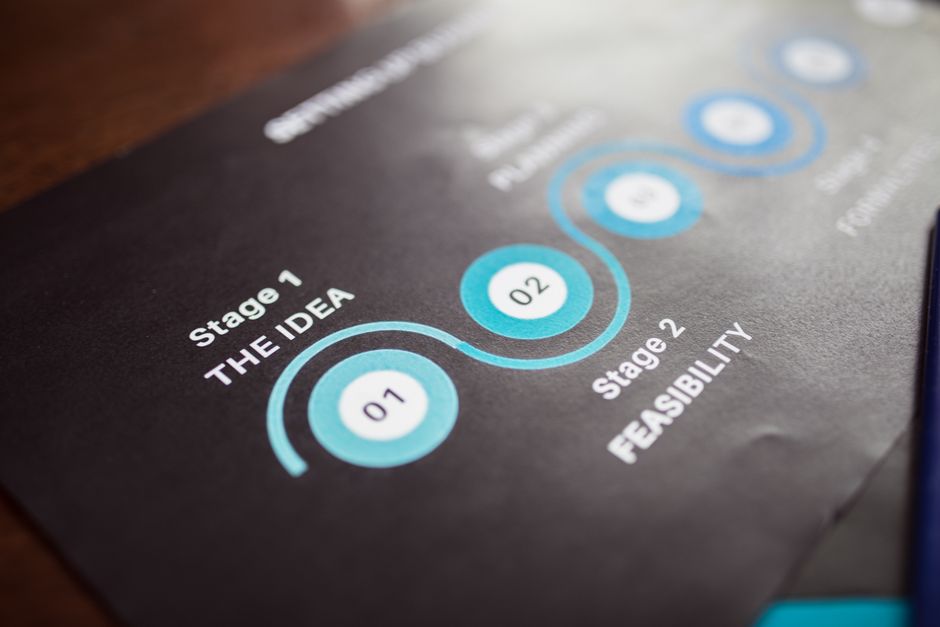
A simple horizontal timeline graphic works well on a services page. Use icons or coloured blocks for each phase and label them with the milestone name and typical duration. Keep the graphic lightweight so it loads quickly on mobile. Place the roadmap near the top of the page, just below the headline, so visitors encounter it before they scroll to the contact form.
Set Expectations for Revisions
Scope creep is a common trust killer. State the number of revision rounds included for each milestone. For instance, “Two rounds of design revisions are included in the Design Approval phase. Additional rounds are billed at the hourly rate”. This clarity prevents surprise invoices and shows that you respect the client’s budget.
Communicating Progress Without Overloading the Visitor
Once a project starts, the client wants reassurance that work is moving forward. However, flooding a public website with daily status notes creates noise and can expose confidential details. The goal is to give the client a private, easy way to see progress while keeping the public site clean.
Use a Client Portal or Dashboard
A lightweight client portal — built with a WordPress membership plugin or a Shopify app — lets the client log in and view a personalized timeline. Show completed milestones in green, current tasks in yellow, and upcoming steps in gray. Attach relevant files such as wireframes or staging links directly to each milestone. The portal becomes a single source of truth, reducing email back‑and‑forth.
Automate Status Emails
Set up automated emails that trigger when a milestone status changes. A short message like “Your design mockups are ready for review — please log in to the portal” keeps the client informed without manual effort. Keep the email copy concise, include a direct link to the portal, and avoid marketing language.
Keep Public Updates Minimal
On the public services page, limit updates to high‑level announcements such as “We have launched a new case study for a Shopify migration”. Do not post project‑specific progress there. This protects client confidentiality and maintains a professional appearance for new visitors.
Showcasing Realistic Outcomes with Case Summaries
Prospective clients look for proof that you can deliver on the timeline you promise. Case summaries that include timeline data are more persuasive than generic testimonials. They demonstrate that your process works in the real world.
Summarize Scope, Timeline, and Results
Each case summary should list the project scope (e.g., “Custom WordPress theme with WooCommerce integration”), the total calendar time from kickoff to launch, and the key result (e.g., “30 % increase in conversion rate within three months”). Use a consistent format so visitors can compare projects quickly.
Include Measurable Metrics
Whenever possible, add numbers that matter to a business owner: revenue growth, lead volume, page‑load improvement, or reduced support tickets. Avoid vague claims like “great results”. Concrete metrics reinforce the credibility of your timeline claims.
Building Credibility Through Consistent Branding and Tone
Trust is also visual and verbal. A site that mixes fonts, colors, or voice across pages feels disjointed and suggests a lack of attention to detail — exactly the impression a service provider wants to avoid.
Align Visual Language Across Pages
Choose a primary typeface, a secondary typeface for headings, and a limited color palette. Apply them to the services page, the case studies, the client portal login, and the contact form. Use the same button style for all calls to action. Consistency signals that the agency manages its own brand with the same rigor it will apply to client projects.
Write in a Direct, Helpful Voice
Address the reader as “you” and use active verbs. Instead of “Our team will be responsible for delivering the design”, write “We deliver the design within ten business days”. Avoid passive constructions and marketing fluff. A straightforward tone mirrors the transparency of your timelines.
Practical Checklist for a Trustworthy Service Website
- Publish a visual project roadmap with named milestones and date ranges
- State revision limits for each milestone
- Provide a private client portal showing real‑time milestone status
- Send automated status emails on milestone changes
- Display case summaries that include scope, timeline, and measurable outcomes
- Maintain a single typeface system and color palette across all pages
- Use direct, active language in all copy
- Link the contact form to a brief questionnaire that captures project scope before the first call
Next Steps for Your Service Site
Audit your current services page against the checklist above. Identify any missing milestones, vague revision policies, or inconsistent design elements. Prioritize adding a visual roadmap and a client portal, as these two features deliver the biggest trust boost for the least development effort. If you run a WordPress agency, a lightweight membership plugin can power the portal; Shopify merchants can use an app that creates order‑tracking pages for custom projects. After implementation, ask a few recent clients to review the new experience and note where they felt most confident. Use that feedback to refine the timeline language and portal layout. Over time, the site will become a self‑service trust engine that converts visitors into signed contracts without extra sales calls.