
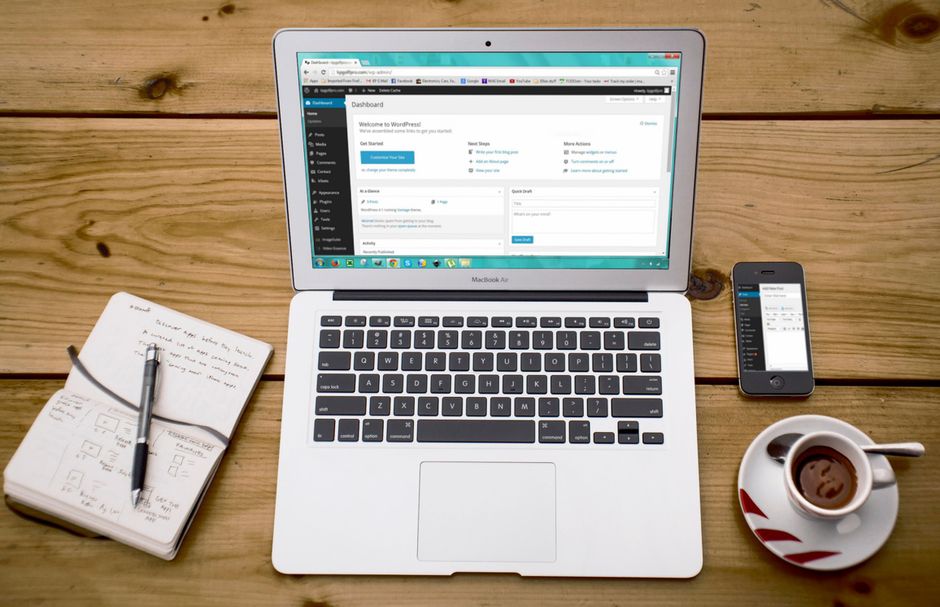
Understanding Headless WordPress
Headless WordPress separates the content management layer from the presentation layer. Instead of a single theme handling both storage and display, the WordPress backend serves content through a REST or GraphQL API. A separate front‑end framework—commonly React, Vue, or even a custom HTML site—consumes that data and renders pages. This architecture gives developers the flexibility to build highly tailored user experiences while retaining WordPress’s powerful admin interface.
Small business owners often wonder why they should consider such a split. The answer usually lies in a desire for more control over design, faster iteration cycles, or the need to serve content across multiple channels like mobile apps, progressive web apps, or smart displays. Headless WordPress is not a one‑size‑fits‑all solution, but it does solve specific problems that a traditional theme‑based site cannot.
When Traditional WP Themes Fall Short
A standard WordPress theme bundles content, styling, and functionality in a single package. This works well for brochure sites, simple blogs, or small ecommerce stores. However, several common scenarios expose limitations:
- Business owners need a completely custom design that deviates from any existing theme.
- Marketing teams want to update pages in real time without waiting for a developer.
- Multiple platforms require the same content—desktop website, mobile app, and a smart‑tv interface.
- Regulatory requirements demand granular control over data handling and user permissions.
When these needs appear, the static nature of a traditional theme becomes a bottleneck. Headless WordPress allows the content team to work within WordPress while the development team builds a unique front‑end that can adapt to each requirement.
Key Scenarios Where Headless Wins
Need for Flexible Content Displays
A regional retailer wants to showcase products differently on its homepage, search results, and a dedicated loyalty portal. With a headless setup, the same product data can be reused and formatted for each view without duplicating entries in the database.
Multilingual Site Requirements
A service‑based business serves customers in English, Spanish, and French. Headless WordPress makes it easier to manage separate language versions, as each language can be a distinct content stream that the front‑end renders independently.
Highly Custom Ecommerce Experiences
A boutique clothing brand wishes to embed interactive product configurators, real‑time inventory widgets, and dynamic pricing calculators directly into the page. Traditional themes and plugins often cannot accommodate these features without extensive hacking. A headless approach gives developers a clean API to pull product information and a front‑end framework to build complex interfaces.
Trade‑offs and Practical Considerations
Control vs. Complexity
Headless WordPress grants unparalleled design freedom. However, it also introduces additional layers of development. Small teams may need to wear multiple hats—managing the WordPress install, building the API, and maintaining the front‑end. The trade‑off is between a quicker launch with a theme versus a more robust, long‑term solution that may require more initial effort.
Maintenance and Updates
Because the front‑end is independent, updates to the theme are no longer a concern. However, developers must keep both the WordPress core/plugins and the front‑end codebase up to date. Neglecting either side can lead to security gaps or broken functionality. A disciplined version‑control workflow mitigates this risk.
Performance Without Speed Optimization
Headless WordPress can improve perceived performance by reducing the amount of JavaScript a browser must parse. Still, developers should avoid over‑fetching data, unnecessary API calls, and bulky component libraries. Clean data retrieval and efficient rendering keep the site responsive without relying on external caching solutions.
Building a Headless Solution with Modern Tools
Selecting a React or Vue Front‑end
Both frameworks are mature and well‑supported. React offers a large ecosystem of component libraries, while Vue provides a gentler learning curve. Choose based on your team’s familiarity and the project’s complexity.
Headless WP via Plugin or Custom API
For rapid prototyping, a headless plugin (such as WPGraphQL) can expose an API without extensive custom code. For high‑traffic sites or bespoke requirements, building a custom REST endpoint ensures precise control over data shape and security.
Security and File Permissions
WordPress file permissions should remain restrictive—folders like wp-admin, wp-includes, and plugins should be read‑only for the web server. The headless front‑end lives outside the WordPress file tree, reducing the attack surface. Regularly audit permissions and limit API access to trusted origins.
Common Mistakes to Avoid
Assuming Headless Is Always Faster
Performance gains depend on implementation. Poorly structured queries, excessive nesting, or poorly optimized components can negate any benefits. Profile API response times and front‑end rendering early in the project.
Over‑Engineering the Front‑end
Some developers add complex state management or advanced routing when a simpler solution would suffice. Keep the front‑end architecture aligned with actual business needs. Simpler code is easier to maintain and debug.
Ignoring SEO Basics
Search engines still crawl the API endpoints. Ensure each endpoint returns proper meta tags, structured data, and clean URLs. Use tools like Yoast SEO or Rank Math within WordPress to maintain SEO hygiene across the headless setup.
Decision Checklist for Your Business
Quick Self‑Assessment Questions
- Do you need a design that cannot be achieved with any existing theme?
- Are you planning to serve the same content on mobile apps, smart devices, or third‑party platforms?
- Does your workflow require content editors to update pages without developer intervention?
- Is multilingual or highly granular permission management critical to your operations?
- Can your team allocate resources for API development and front‑end maintenance?
Answers leaning toward “yes” suggest a headless approach may deliver better long‑term value. If the primary driver is simply a new look, a custom theme might be more cost‑effective.
Moving Forward with Confidence
Headless WordPress opens doors for businesses that demand bespoke digital experiences. The path forward starts with a clear understanding of current limitations, a realistic assessment of internal resources, and a willingness to adopt a more modular development process. By weighing the trade‑offs early and avoiding common pitfalls, small business owners can decide whether a headless strategy aligns with their growth plans.
If you’re ready to explore how headless WordPress could support your unique requirements, reach out to a trusted developer. A short discovery session can clarify the scope, estimate the effort, and outline a roadmap that keeps your project on track and within budget.
Conclusion
Custom WordPress development remains a powerful lever for businesses seeking differentiation. Headless architecture is one of the most flexible expressions of that customization, enabling precise control over content delivery across diverse touchpoints. When traditional themes cannot meet design, scalability, or integration demands, headless WordPress offers a viable alternative. Careful planning, realistic expectations, and disciplined maintenance ensure the solution remains secure, maintainable, and aligned with business objectives.
Choosing the right approach is a strategic decision. Weigh the benefits of design freedom against the added complexity, and let your specific business needs guide the choice. With the right partner and a clear roadmap, headless WordPress can become a cornerstone of a modern, agile digital presence.