
Evaluating Your Business Needs First
Before comparing platforms, it helps to outline what the website must actually do. A local service business may prioritize contact forms and service pages, while an online store needs product catalogs and payment gateways. Write down must-have features versus nice-to-have features. This list becomes the reference point for any development discussion.
Defining Core Functional Requirements
Identify the primary purpose of the site. Does the business need appointment scheduling, membership access, or multilingual support? Each of these requirements influences whether WordPress plugins or custom-coded solutions better serve the goal. Documenting these early prevents scope creep later.
Mapping Future Growth Scenarios
Consider where the business will be in three to five years. A platform that works for fifty monthly visitors may struggle with five thousand without redesign. Think about product line expansions, team growth, or entering new markets. A flexible foundation can save a complete rebuild down the road.
The WordPress Ecosystem Advantages
WordPress powers a significant portion of the internet, and its ecosystem offers specific benefits for many small businesses. Understanding these can clarify whether the platform aligns with your goals.
Theme Flexibility and Plugin Modularity
WordPress themes control visual presentation while plugins add functionality. This separation allows a designer to change the look without losing content or data. Plugins can be activated or deactivated, giving businesses the ability to expand features incrementally. Many themes also include page builders that let non-technical users make minor layout adjustments.
Community Support and Documentation
The WordPress community contributes themes, plugins, and troubleshooting guides. When a question arises, a quick search often surfaces a solution from someone who has faced the same issue. Official documentation and forums provide reliable entry points for problem-solving, which can reduce downtime for busy business owners.
When Custom Development Adds Real Value
Not every business needs off-the-shelf software. Some scenarios call for a tailor-made approach that reflects unique operational requirements.
Highly Unique Functionality Requirements
If a business process cannot be represented by existing plugins or themes, custom code may be the only path. Examples include proprietary booking engines, specialized calculators, or integrations with legacy business systems. In these cases, a custom build ensures the website works the way the business operates, rather than forcing the business to adapt to software limitations.
Brand Differiation Through Tailored Design
Template-based designs can look similar to competitors using the same theme. Custom development allows every visual element, interaction, and micro-interaction to reflect the brand’s identity. For businesses where differentiation is a core competitive advantage, this level of control can be worth the additional investment.
Assessing Resource and Budget Constraints
The financial and human resource picture often drives the WordPress versus custom decision more than technical capabilities alone.
Initial Investment vs Long-Term Maintenance
WordPress sites typically have lower upfront costs because much of the infrastructure exists in the form of free or affordable plugins. Custom sites require more design and development hours before launch. However, long-term maintenance costs differ: WordPress sites need regular plugin updates, theme compatibility checks, and security monitoring. Custom sites may have lower ongoing update fees if the codebase is clean, but fixing bugs or adding features often requires hiring the original development team or contracting new developers familiar with the code.
Skill Set and Ongoing Support Needs
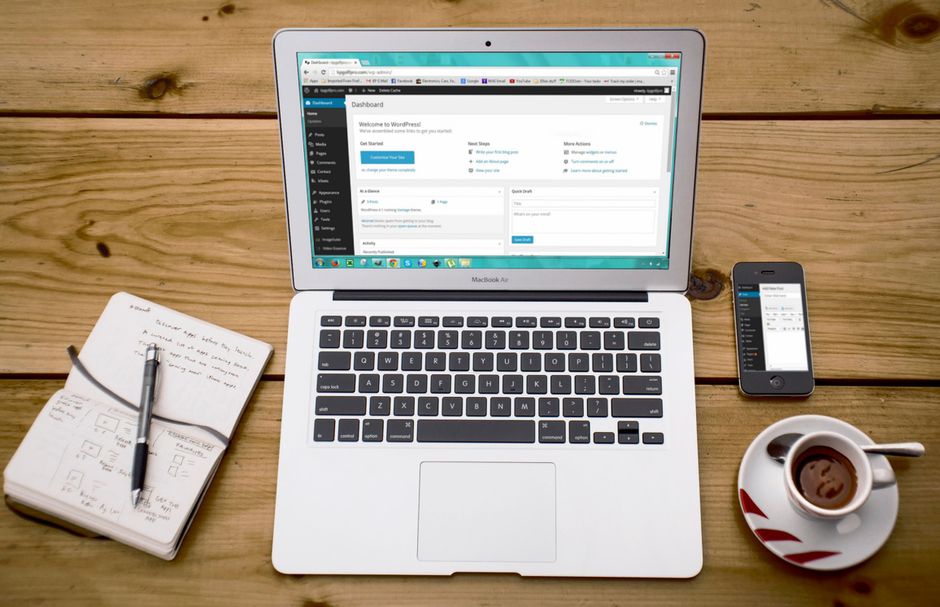
Consider who will manage the site after launch. WordPress’s dashboard is designed for non-technical users to publish content, update plugins, and manage users. If the business owner or staff will handle day-to-day updates, WordPress offers a gentler learning curve. Custom sites often require a developer for even basic changes, which can become a bottleneck if internal staff need to make quick edits.
A Decision Framework for Business Owners
Turning the above points into a practical checklist can make the choice clearer. The following framework is meant to guide conversation with developers or agency partners.
Step-by-Step Assessment Checklist
- List every functional requirement the site must support in the next 12 months.
- Estimate the total budget for design, development, and first-year maintenance.
- Identify who will be responsible for daily content updates and plugin management.
- Define the brand’s unique visual and interactive needs.
- Map projected growth in visitors, products, or service offerings.
- Compare the total cost of ownership for a WordPress solution versus a custom build over three years.
Avoiding Common Pitfalls in the Choice Process
One common mistake is choosing WordPress solely because it is cheaper upfront, only to find that required functionality demands expensive custom plugin development later. Another is opting for a fully custom site without considering the long-term content management burden, leaving the business dependent on a developer for every page change. Weighing the checklist items against each other reveals which trade-offs a business is willing to accept.
Maintenance, Security, and Updates
Both WordPress and custom sites require ongoing attention, but the nature of that attention differs.
WordPress Security Best Practices for Business Sites
Keeping the core WordPress software, themes, and plugins up to date is the single most effective security measure. Using reputable themes from official repositories or trusted marketplaces reduces the risk of malicious code. Implementing strong user passwords, limiting login attempts, and using a reputable security plugin add layers of protection. Regular backups stored off-site ensure that a security incident does not result in permanent data loss.
Custom Site Update Considerations
Custom sites often have a smaller attack surface because they do not rely on third-party plugins. However, this benefit depends on the quality of the original code and the documentation left behind. Without clear coding standards and comment documentation, future updates can introduce new bugs. Businesses should insist on a maintainability audit before signing off on a custom project, and establish a relationship with a developer who can handle periodic reviews and improvements.
Summary of Key Considerations
Choosing between WordPress and a custom website is not a matter of which is universally better, but which aligns better with the business’s current reality and future trajectory. Functional needs, budget, internal resource capacity, and long-term growth plans all factor into the equation. By mapping these elements clearly before starting development, business owners can move forward with confidence, knowing the chosen path supports both immediate operations and future goals.