
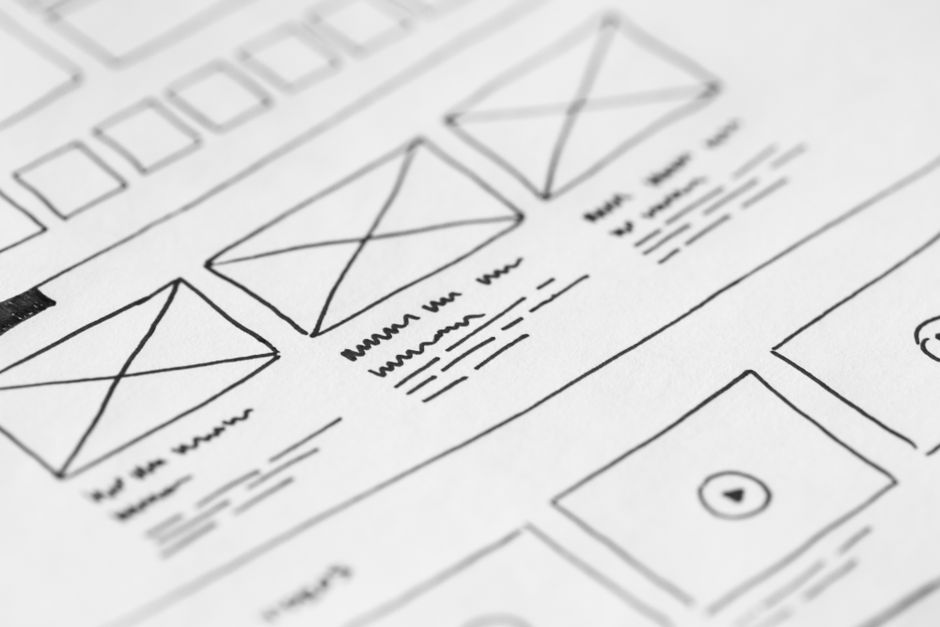
Most small business owners treat a website redesign like a fresh coat of paint. They pick new colors, update the logo, and expect results. In practice, a visual update without a plan often leads to broken links, confused customers, and a launch that feels more stressful than exciting. A redesign is an opportunity to fix structural problems, clarify your message, and align your site with how your business actually operates now.
Why a Redesign Fails Without a Plan
Many redesigns stall because the team starts with visuals instead of objectives. A beautiful layout cannot compensate for unclear navigation or missing contact forms. Before any design work begins, you need answers to basic questions. What is the primary job of the site? Who is visiting it? What actions should they take? Without these answers, every design decision becomes a guess, and guesses are expensive to undo after launch.
Consider a hypothetical local bakery that decides to redesign its site because the current one looks dated. The owner chooses a trendy template, moves the menu to a hidden hamburger icon, and removes the phone number to keep the homepage clean. Weeks later, online orders drop because regular customers cannot find the ordering page or the phone number they used to call for custom cakes. The problem was not the design itself. It was the lack of planning around user behavior.
Define What the New Site Must Achieve
Set Measurable Goals
Start by writing down what success looks like after the redesign. Is the goal to generate more phone inquiries, sell products directly, or reduce the time staff spend answering basic questions? Each goal changes the design priorities. A service business that wants leads needs prominent contact forms and clear service descriptions. A retail business that wants sales needs a streamlined checkout and trust signals near the product price.
Avoid vague goals such as getting more traffic. Traffic alone does not pay bills. Define specific outcomes such as increasing consultation requests by twenty percent or reducing cart abandonment on mobile. These targets give you and your developer a benchmark to measure against after launch.
Know Your Audience Before You Design
Your visitors arrive with specific intentions. A returning customer wants to reorder quickly. A new visitor wants to understand what you do and whether you are trustworthy. Map these intentions to pages on the new site. If your analytics show that most mobile users leave after viewing the homepage, the redesign should address what is missing or confusing on that page rather than only changing the color scheme.
Hypothetically, a landscaping company might discover that most visitors search for seasonal lawn care packages. If the redesign buries those packages behind multiple clicks, the business loses leads. Audience research should shape the menu structure, not just the imagery.
Audit Your Current Website Honestly
Content Inventory and Performance
List every page, blog post, product, and media file currently on the site. Identify which pages bring in inquiries or sales and which receive almost no traffic. Content that no longer reflects your prices, services, or brand voice should be removed or rewritten. A redesign is the right time to consolidate thin pages into stronger, more useful resources.
Do not assume that old content is useless. A blog post from two years ago might still attract local search traffic. If you delete it without a redirect strategy, you lose that visibility and frustrate anyone clicking an old link.
What to Keep, Cut, or Combine
Group your content into three categories. Keep pages that perform well and need only minor updates. Cut pages that are outdated, redundant, or irrelevant. Combine overlapping pages into single comprehensive guides. For example, if you have separate pages for residential plumbing, commercial plumbing, and emergency plumbing with nearly identical text, merge them into one services page with clear sections.
This audit also reveals technical debt. Old plugins, outdated themes, or custom code that no one understands can complicate a move to a new design. Document these issues early so they do not surprise your developer halfway through the project.
Choose the Right Platform for the Redesign
When WordPress Makes Sense
WordPress works well for content-heavy sites, service businesses, and organizations that need custom functionality beyond standard ecommerce. If your business publishes regular articles, runs a membership area, or integrates with many third-party tools, WordPress offers flexibility. You can choose from thousands of themes or invest in custom development when a template cannot meet your requirements.
When Shopify Makes Sense
Shopify is built for selling products. If your primary goal is online retail, inventory management, and secure checkout, Shopify reduces the technical burden. It handles hosting, security, and payment processing out of the box. A redesign on Shopify should focus on product presentation, collection organization, and checkout flow rather than backend infrastructure.
Avoid Switching Platforms Just Because
Some businesses decide to move from WordPress to Shopify or vice versa during a redesign because a competitor uses a different platform. Platform migration adds cost, time, and risk. You must migrate content, set up redirects, and retrain staff. Only switch platforms if your current one genuinely limits your business model. Otherwise, redesign within your existing platform and invest the savings in better content or functionality.
Map the User Journey Before Wireframes
Identify Key Conversion Paths
A conversion path is the sequence of steps a visitor takes to complete a goal. For a service business, the path might be homepage to services page to contact form. For a store, it might be collection page to product page to cart to checkout. Sketch these paths before discussing layouts. Every page should have a clear next step that moves the visitor closer to becoming a customer.
Remove dead ends. A thank you page after a purchase should suggest related products or invite the customer to follow your social channels. A contact form confirmation should explain what happens next and when the customer can expect a reply.
Consider the emotional state of the visitor at each step. Someone on a pricing page is comparing options. Someone on a contact page is ready to talk. Match the tone and detail level to that mindset. A pricing page should answer common questions up front. A contact page should only ask for essential information.
Plan Navigation That Serves Visitors
Navigation is not a creative playground. It should help visitors find information quickly. Limit main menu items to five or seven essential categories. Use labels that match customer language, not internal jargon. If you run a law firm, use Family Law instead of Domestic Relations Practice if that is what clients search for.
Dropdown menus can help, but they should not hide critical pages. Keep contact, about, and primary services visible at all times. On mobile, test that the menu is easy to tap and does not cover important content. Breadcrumbs can also help visitors understand where they are within a deep site structure.
Content Comes Before Visuals
Write for the Redesign, Not the Old Site
Design should support your message, not the other way around. Draft your homepage headline, service descriptions, and product copy before selecting fonts or images. If a designer creates a layout with large hero images and small text boxes, but your business needs to explain complex services, the design will fight your content.
Hypothetically, a consulting firm might choose a minimal theme with lots of white space. If the firm needs to display case studies, credentials, and pricing tables, that minimal style can make the site feel empty rather than professional. Content volume should influence the visual direction.
Images and Media Planning
Collect or commission photography early in the redesign process. Stock photos can fill gaps, but authentic images of your team, workspace, or products build trust. Make a list of required image sizes for banners, thumbnails, and social sharing. If you plan to add video, decide where it will live and how it will be embedded without hurting the user experience.
Compress images before upload and use descriptive file names. Alt text should describe the image for accessibility and search engines, not stuff keywords. If you sell handmade ceramics, a photo of a mug should have alt text like handmade ceramic mug with blue glaze rather than buy ceramics online cheap.
Budget and Timeline Realities for Small Business
Hidden Costs in a Redesign
The design fee is only part of the cost. Budget for content writing, photography, plugin licenses, domain registration, hosting, and ongoing maintenance. If you are migrating from an old site, include time for redirects and testing. Small businesses often underestimate these expenses and are surprised when the final invoice exceeds the initial quote.
Request a detailed proposal that separates one-time build costs from recurring costs. Ask what happens if you want to add a feature halfway through the project. Change orders are common in redesigns, and knowing the process up front prevents disputes later.
Phased Rollout vs Big Launch
A big launch feels dramatic, but it also concentrates risk. If something breaks on launch day, the entire site is affected. A phased rollout lets you rebuild sections one at a time. You might launch the homepage and contact page first, then add product categories over the following weeks. This approach allows you to gather feedback and fix issues without taking the whole site offline.
Not every business can phase a redesign. If you are rebranding or changing your domain, a coordinated launch makes more sense. Choose the approach that matches your risk tolerance and operational capacity.
Timelines also slip when content is late. A developer can build a layout quickly, but they cannot finish the site without final copy and images. Agree on content deadlines before signing a contract, and treat those dates as seriously as the launch date.
Testing and Launch Checklist
Functionality Testing
Before going live, test every form, button, and link. Fill out contact forms as if you are a customer. Complete a test purchase if you sell products. Check that confirmation emails arrive and that data reaches your inbox or CRM. Test on multiple devices and browsers, not just your own laptop.
Ask someone outside your business to navigate the site and complete a task. Fresh eyes often spot confusing labels or missing information that the team has become blind to.
Redirects and SEO Preservation
If your page URLs change during the redesign, set up redirects from old addresses to new ones. Without redirects, visitors clicking links from search results or social media will land on error pages. Search engines may also drop your rankings if they encounter too many broken links.
Update your XML sitemap and submit it to search engines after launch. This helps them discover the new structure faster. Monitor search console for crawl errors in the weeks following the redesign.
Check that analytics tracking is installed and firing correctly. You want baseline data from day one so you can compare post-redesign behavior accurately.
After the Redesign: Measure and Adjust
A redesign is not finished when the new site goes live. Review analytics after thirty, sixty, and ninety days. Compare inquiry volume, sales, and bounce rates against your pre-launch goals. If a page is not performing, adjust the copy, move the call to action, or simplify the layout. Small businesses benefit from treating the website as a work in progress rather than a one-time project.
Next Steps for Your Redesign
Start with a simple document that lists your goals, audience, current content, and platform preferences. Share it with a developer who can translate those requirements into a realistic timeline and budget. A well-planned redesign saves money, reduces stress, and produces a site that actually supports your business growth.